

Importing corpora from CAT tool servers
Prerequisite
You need a working CAT tool server connector.
Importing translation memories or term bases from a CAT tool server
-
Go to Corpora > Import from CAT tool server.
-
Choose the type of resource: either translation memories or term bases.
Term bases can only be imported from memoQ and Phrase. -
If the CAT tool is XTM, choosing the language combination and customer is also mandatory.
-
Select any additional options/filters.
-
Select one or more groups you want the imported corpora to belong to.
-
Click Import selected corpora.
Options/filters for listing resources on CAT tool servers
|
CAT tool type |
Mandatory |
Optional |
|---|---|---|
|
memoQ |
- |
|
|
Phrase |
- |
|
|
Smartcat |
- |
|
|
XTM |
|
Displaying corpora imported from a CAT tool server
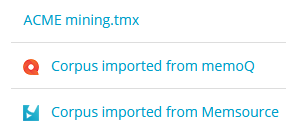
When listing corpora, or displaying the overview of an engine, corpora imported from CAT tool servers will have a small icon next to their name indicating their origin:
Updating corpora imported from a CAT tool server
If you have a corpus that you have imported once into globalese by memoQ, the next time you import it again (because it has been updated), globalese by memoQ will not create a new corpus, but – as long as it can successfully identify the corpus by its ID – will update the existing one.