

Health check
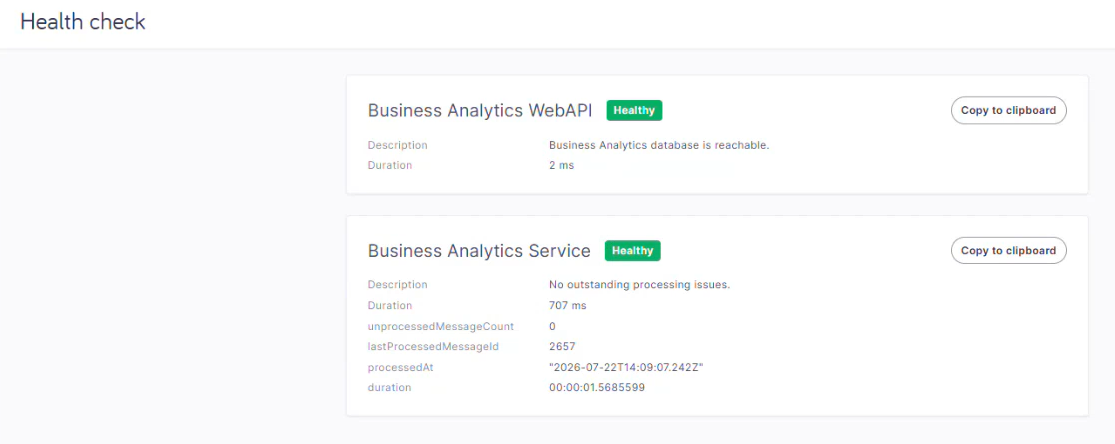
This page shows status information and important data about some of memoQweb's background services.
Starting with version 12.5, it includes information about the Business analytics Web API and the Business analytics service.
How to get here
- Log in to memoQweb as an administrator.
- On the left sidebar, click Admin.
-
Under Admin, click Health check. The Health check page opens.
What can you do?
When there is a problem with one of the services here, the status sign changes:
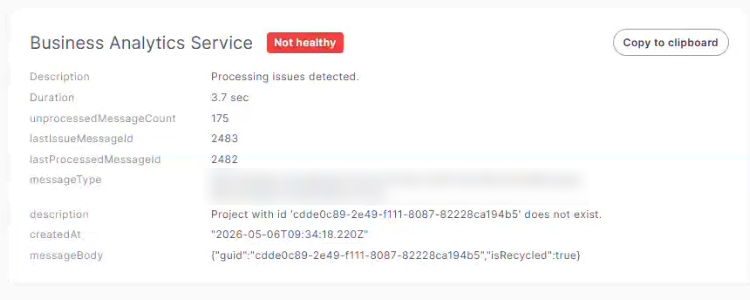
Click the Copy to clipboard button. You can now paste all the information into your communication with memoQ's Support team.
When you finish
Close this browser tab, or use the sidebar on the left.