

Create or edit an SRT subtitles filter in memoQweb
At the time of writing, SRT is the most popular subtitle format for videos.
To learn more, see the Wikipedia article about SRT.
How to get here
- Log in to memoQweb as an administrator or a project manager.
- On the left sidebar, click Resources.
-
Under Resources, click Filters.
- Click the Create button in the top right corner of the page.
- In the dropdown, click Create new filter.
-
In the Create filter window, fill in the Name and Description fields.
-
In the Filter type dropdown, select SRT filter.
-
Click Continue at the bottom of the page.
The filter's page opens.
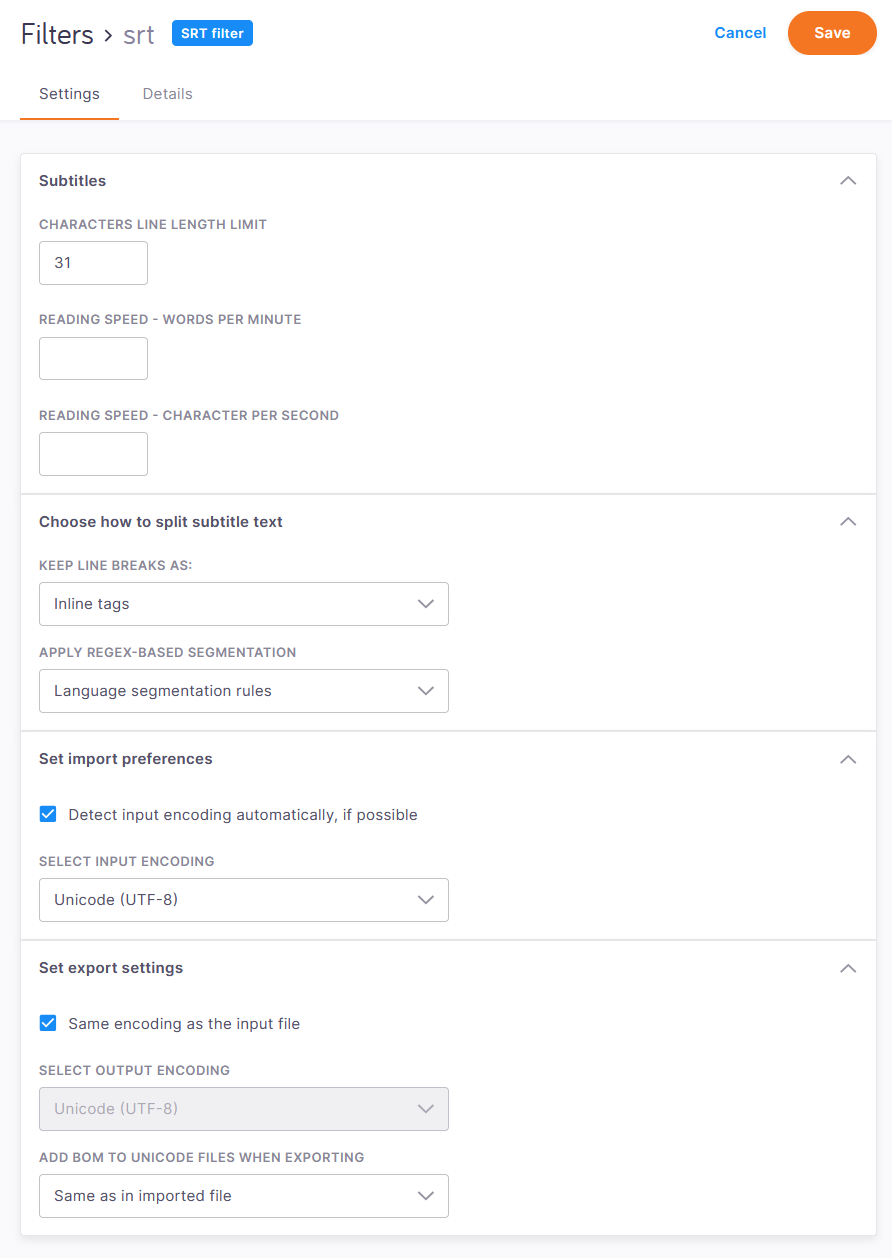
What can you do?
 Change the filter's name and description
-
At the top of the page, click the Details tab.
-
Change the contents of the Name and Description fields as needed.
Set line length limit and density options
When you are working on a video translation, it is important to know how much text you can put on the screen at once.
Change the value of the Character limit for line length field as needed.
Density means how much text is on the screen over time. You can set limits for Words per minute and Characters per second - the two most common measurements.
When you confirm a segment, memoQ doesn't warn you if you are over these limits. You see which lines are longer than the limit only when you export the file.
Change segmentation of the text
When you import an SRT file, each segment has its own time frame. You can change segmentation in two ways:
- Based on line breaks (Keep line breaks as dropdown):
- To import segments unchanged (flexible option), choose Inline tags. When translating, you can put multiple lines into segments.
- To make new segments at line breaks during import, choose Inline tags and break segment. When translating, you can put multiple lines into segments.
- To import segments unchanged (strict option), choose Tags. When translating, you cannot put multiple lines into segments.
- Based on regular expressions (Apply regex-based segmentation dropdown):
Set import settings
When you import
Set export settings
Under Output encoding, clear the Same as input checkbox. In the Select output encoding dropdown, select the encoding you want.
When you export the translation with a Unicode encoding, you can tell memoQ how to handle Unicode byte order marks (BOMs): Select or clear the Write BOM to Unicode-encoded files on exportAdd BOM to unicode files when exporting checkbox.
When you finish
In the upper right corner, click Save.
If there is an invalid setting in the filter, a red dot appears on its tab (Settings or Details):
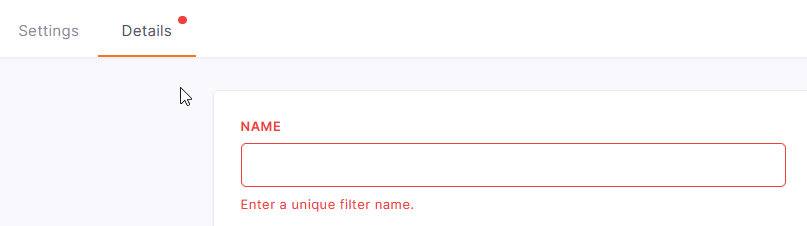
Correct the mistake and click Save again.