Use memoQ TMS cloud as a linguist
You can use memoQ TMS cloud either:
-
Directly in your browser - simpler, works on any operating system, and is great for basic tasks
-
The memoQ desktop app - runs on Windows only, but offers more features
Use the desktop app
-
Get a license from memoQ TMS cloud
 If you don’t have memoQ yet
-
On the memoQ Downloads page, choose the memoQ version you need and click the Download button.
-
In the Choose product to download window, click Download now next to memoQ translator pro.
If you already have memoQ, but don’t have a license yet
-
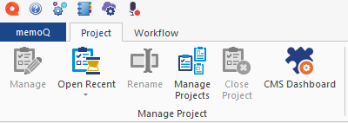
Open memoQ and click the blue memoQ tab in the upper-left corner.
-
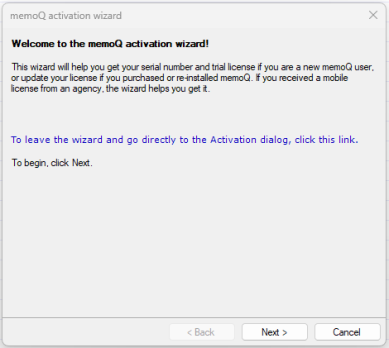
Under the Activation section, click Activation wizard.
-
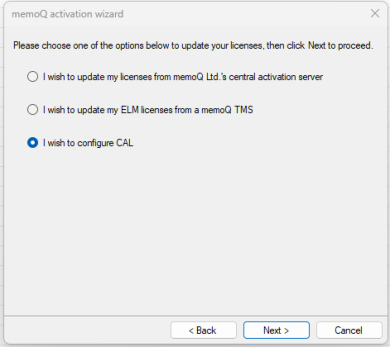
In the wizard, click Next, then choose the I wish to configure CAL option.
-
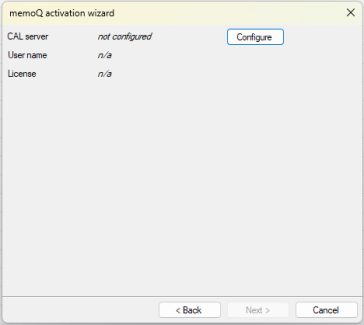
On the following screen, click the Configure button.
-
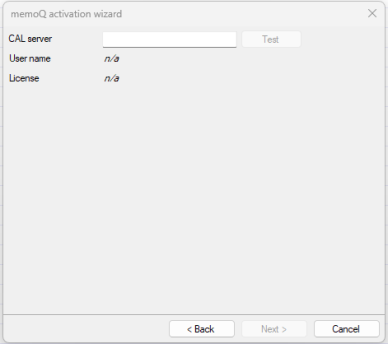
In the CAL server field, enter your memoQ TMS cloud address. Then click the Test button.
-
Choose the Enter user name and password option. Enter your login information.
-
-
Check out projects from the memoQ TMScloud
When a project manager assigns work to you in a memoQ TMS cloud, you receive an email with short instructions on how to access the project and an attachment that opens the project.
What if you don't receive this email?
 icon.
icon.
Work in a browser
When a project manager assigns work to you in a memoQ TMS cloud, you receive an email with short instructions on how to access the project and a link to the project.